


Discover the best AI filmmaking tools for solo creators, from pre-production and research to editing, audio, and full production workflows.
Every role on a traditional film set exists to solve a specific problem: a camera operator executes a deliberate move, a sound mixer balances levels between performers, a concept artist visualizes a scene before it’s shot, a script supervisor tracks continuity. Working without a crew doesn’t eliminate these problems; it just means one person has to solve them all.
The tools that actually help aren’t the ones promising to “replace a whole production” in the abstract; they’re the ones built to solve one specific crew role’s problem well, so a solo filmmaker isn’t doing that job manually or skipping it entirely.
This list covers tools organized around that principle: which crew role each one actually stands in for, in AI filmmaking work done by one person.
How We Evaluated These Tools
Three things mattered most: whether a tool solves a specific, real crew-role problem rather than a vague general promise, whether it’s genuinely usable solo (free tier, low learning curve, or both), and whether it holds up across a full project rather than just one isolated task.
The Tools at A Glance
| Tool | Replaces (crew role) | Best for | Starting price |
|---|---|---|---|
| invideo Agent | Full crew, camera, continuity, post | Full-pipeline solo production | $17/mo |
| Midjourney | Concept artist | Pre-production visual development | $10/mo |
| Auphonic | Sound mixer | Automatic dialogue leveling | Free tier; $11/mo |
| DaVinci Resolve | Editor and colorist | Free professional-grade post-production | Free |
| CapCut | Small post-production suite | All-in-one editing on phone or laptop | Free |
| NotebookLM | Researcher | Documentary research grounded in your own sources | Free |
| Storyflow | Script supervisor | Keeping script, beats, and shot list connected | Verify current pricing |
| Descript | Assistant editor | Transcript-based dialogue editing | Verify current pricing |
Pricing and feature specs shift quickly in this category; confirm current details on each provider’s site before publishing.
Invideo Agent: Best For Replacing An Entire Crew, Not Just One Role
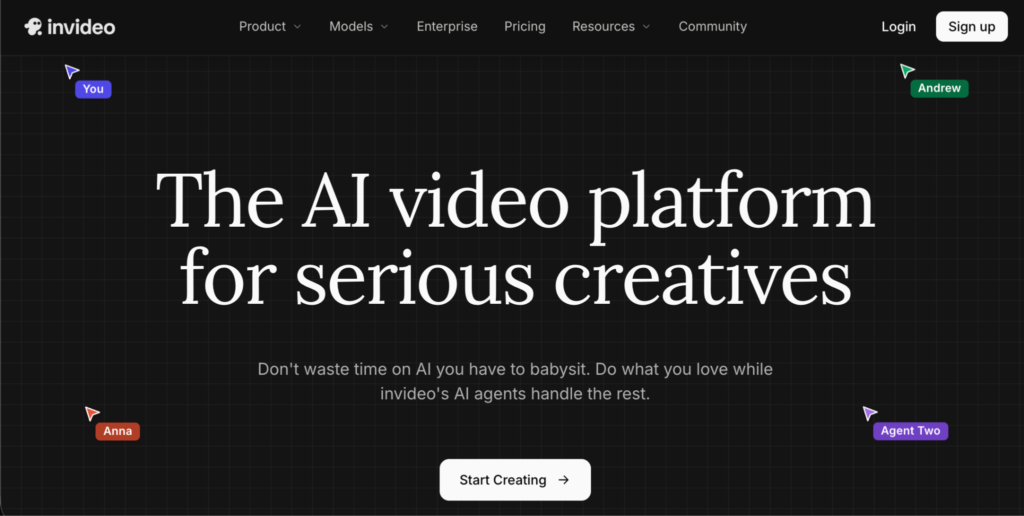
For a solo filmmaker specifically, invideo Agent holding a persistent context matters most: a character or location locked once carries forward automatically across every scene, so a film shot in short bursts over weeks, the actual reality of working without a crew or a fixed schedule, still comes out looking consistent.
A single person can direct a deliberate camera move without a camera operator through named presets, and post and finishing, including AI dubbing for voiceover, happen in the same project rather than requiring separate software for each stage.
Best for: An independent filmmaker who needs one pipeline covering planning, generation, camera work, and finishing, without assembling a full crew or juggling several disconnected tools.
Where it falls short: The crew-style, context-heavy workflow introduces more structure than a filmmaker needs for a single quick clip.
Pricing: Plans start at $17/month, scaling to $900/month for the highest tier.
Midjourney: Best For Replacing A Concept Artist
Before a single frame is shot, Midjourney generates storyboard panels, location concept imagery, costume references, and lighting mood boards at a quality level that functions as genuine professional reference material, the kind a DP could look at and understand exactly what lighting setup is intended.
Best for: Independent productions that can’t afford a dedicated storyboard artist or concept designer but still need visual pre-production material to plan around.
Where it falls short: Produces still reference images, not motion, a separate tool is still needed to actually generate or shoot the film itself.
Auphonic: Best For Replacing A Sound Mixer
Auphonic automatically levels dialogue between a loud and a soft-spoken performer and normalizes loudness to broadcast standards, the job a professional sound mixer would otherwise handle by ear, done automatically.
Best for: Getting broadcast-standard, consistent audio levels without hiring a mixer or manually riding faders on every scene.
Where it falls short: The free tier covers only 2 hours of processing per month, a real production will likely need the paid tier.
DaVinci Resolve: Best For Replacing An Editor And Colorist, For Free
DaVinci Resolve’s free version includes professional-grade editing, color grading, audio post, and visual effects, genuinely production-grade tools that let an independent filmmaker deliver a finished feature without paying for editing software or hiring a separate colorist.
Best for: Any solo filmmaker who wants a complete, free, professional post-production pipeline in one application.
Where it falls short: It’s a traditional NLE, not an AI assistant, the editing and grading decisions are still entirely manual.
CapCut: Best For An All-In-One Free Editing Suite
CapCut bundles editing, captioning, color adjustment, and basic AI cleanup into one free app, covering ground that would otherwise require several separate tools and licenses.
Best for: A complete, free editing pipeline for a filmmaker working primarily from a phone or laptop rather than a full desktop editing rig.
Where it falls short: Less suited to complex, professional color grading or advanced VFX work than a dedicated tool like DaVinci Resolve.
NotebookLM: Best For Replacing A Researcher On Documentary Work
NotebookLM is Google’s document-grounded AI: upload your sources, PDFs, transcripts, slides, websites, and it answers questions tied specifically to those sources rather than the open web, with audio overviews that generate podcast-style summaries of the material.
Best for: Documentary research synthesis, interview analysis, and reviewing source material without a dedicated research assistant.
Where it falls short: It’s a research and synthesis tool, not a production tool, it doesn’t generate video or handle any part of the actual filmmaking pipeline.
Storyflow: Best For Replacing A Script Supervisor
Storyflow keeps script, beats, mood, storyboard, and shot list connected on one canvas, with AI that reads the board as a whole, solving the continuity-tracking problem a script supervisor would normally handle on a traditional set.
Best for: A solo filmmaker who needs script and visual planning to stay connected and consistent without a dedicated continuity role.
Where it falls short: Covers pre-production specifically, generation, editing, and finishing all require separate tools downstream.
Descript: Best For Replacing An Assistant Editor On Dialogue-Heavy Work
Descript lets you edit video by editing a text transcript, delete a word from the text, and the corresponding audio and video get cut automatically, which is especially useful for dialogue-driven or interview-based footage.
Best for: Solo creators doing transcript-driven, dialogue-heavy editing, particularly documentary or interview-based work.
Where it falls short: Not the right tool for narrative, non-dialogue editing, a traditional NLE handles that better.
Which One Should You Use?
A full pipeline covering camera work, continuity, and finishing in one place: InVideo Agent.
Pre-production visual development without a concept artist: Midjourney.
Broadcast-standard audio levels without a sound mixer: Auphonic.
Free, professional editing and color grading: DaVinci Resolve.
A complete free editing suite for phone or laptop work: CapCut.
Documentary research grounded in your own sources: NotebookLM.
Keeping script and shot list connected during pre-production: Storyflow.
Transcript-based editing for dialogue-heavy footage: Descript.
Common Mistakes When Building A No-Crew AI Filmmaking Toolkit
- Looking for one tool to replace an entire crew. Most tools on this list solve one specific role’s problem well, a realistic no-crew toolkit usually combines several.
- Skipping audio leveling because it seems like a minor detail. Uneven dialogue levels are one of the fastest ways a solo production reads as amateur, even when the visuals are strong.
- Underestimating how much a persistent context tool helps a film shot in short, irregular bursts. Without one, a project shot over several separate sessions is more likely to show visible continuity drift.
- Choosing a paid tool before checking a free tier’s real limits. Several tools on this list, DaVinci Resolve, CapCut, NotebookLM, offer genuinely usable free tiers that cover a surprising amount of a solo production’s needs.
- Using a narrative editing tool for dialogue-heavy documentary work, or vice versa. Transcript-based tools like Descript suit interview and dialogue footage; traditional NLEs suit narrative, non-dialogue editing better.
FAQ
Not realistically in a single tool, but a combination of tools each solving one crew role’s specific problem, camera work, sound leveling, editing, research, can cover most of what a small crew would otherwise handle, letting one person manage a full production.
Continuity across irregular shooting schedules. A film made without a crew is often shot in short bursts over weeks rather than a continuous shoot, and a tool that locks characters and locations once and carries them forward automatically prevents the visible drift that tends to creep in otherwise.
Not necessarily. DaVinci Resolve’s free version includes professional-grade editing, color grading, and audio post, genuinely capable enough to deliver a finished feature without paying for editing software.
A tool with named, deliberate camera movement presets, dolly, pan, tilt, track, orbit, applied directly to a shot, letting a single person direct a specific camera move without physically operating a camera or hiring an operator.