


Thinking of getting Adobe Creative Cloud? Explore all apps, pricing, Photoshop, Premiere Pro, Firefly AI features, and best tools.
Since its launch, Adobe Creative Cloud has fundamentally changed how creative professionals work, learn, and collaborate. It’s an ecosystem of interconnected tools that powers the creative economy.
Today, Adobe Creative Cloud is the undisputed industry standard across advertising agencies, film studios, publishing houses, game studios, architecture firms, and independent freelancers alike.
With over 20 professional-grade applications spanning photography, video, motion graphics, illustration, UI/UX design, audio, web development, and generative AI, it is the most comprehensive creative platform ever built.
Adobe Creative Cloud is a single subscription that gives you the world’s best photo editor (Photoshop), best professional video editor (Premiere Pro), best AI image generator (Firefly), and 20+ other industry-standard creative tools in one plan.
This blog post breaks down every major application in the Creative Cloud suite. Whether you’re a seasoned creative director or someone just beginning their creative journey, there is something in this suite built precisely for you.
Photography & Image Editing
Adobe Photoshop
Photoshop is, simply put, the most iconic creative application ever made. It is the definitive tool for image editing, compositing, digital painting, and visual storytelling.
With its layered canvas, non-destructive editing via Smart Objects, and an ever-expanding set of AI-powered tools like Generative Fill (powered by Adobe Firefly), Photoshop seamlessly blends traditional craft with cutting-edge intelligence.
Whether you’re retouching a portrait, building a multi-layer advertisement, or designing a product mock-up, Photoshop provides the tools to realize your exact vision.
Photoshop’s Neural Filters use machine learning to perform tasks that once required hours of skilled work, such as sky replacement, facial expression adjustments, photo colorization, and portrait smoothing, all in seconds.
With Generative Fill, you can extend images and remove unwanted objects simply by typing a description. It is, without question, the most powerful image editing tool on the planet.
Photoshop is also the best tool to remove objects from photos and remove people from photos. Generative Remove fills the gap seamlessly using AI, and Generative Upscale makes it one of the best tools to enlarge photos and enhance image quality without losing detail.
Adobe Lightroom
Lightroom is the photographer’s best friend. It’s a photo editing and library management system designed for speed, quality, and creative consistency. Unlike Photoshop’s pixel-level editing, Lightroom works with global and selective adjustments: exposure, contrast, color grading, lens corrections, etc.
Its Presets system allows photographers to achieve a consistent visual style across entire shoots in one click. With seamless cloud sync between Lightroom Classic (desktop) and Lightroom (mobile/web), your entire photo library is always with you.
AI-powered tools like Masking, Denoise, and Select Subject have made what was once meticulous manual work feel almost magical.
Lightroom’s colour tools — including adaptive presets, HSL sliders, and one-click colour grading – make it one of the best photo filter tools for photographers who want a consistent aesthetic look across entire shoots.
Video Editing & Motion Graphics
Adobe Premiere Pro
Adobe Premiere Pro is the professional non-linear editor (NLE) of choice for feature films, broadcast television, YouTube creators, and social media agencies worldwide.
It supports virtually every video format from compressed H.264 mobile footage to 8K RAW files from cinema cameras, with a timeline-based editing workflow that is both intuitive for beginners and infinitely deep for professionals.
Premiere Pro’s integration with After Effects, Audition, and Photoshop through Adobe Dynamic Link means clips, sequences, and compositions move between applications without rendering, dramatically accelerating production workflows.
Premiere Pro is widely regarded as the best video editor for YouTube creators and professional filmmakers. Its AI Object Masking tool automatically isolates people and objects in video frames, cutting edit time significantly and making it one of the best video editors for social media content in 2026.
Adobe After Effects
It’s a powerful software used to create motion graphics, visual effects, and animations for videos. It’s widely used for things like animated text, transitions, VFX, and cinematic effects.
Unlike basic video editors, After Effects works layer by layer, giving you full control over animations using keyframes. It’s commonly used in YouTube videos, films, ads, and social media content to make visuals more dynamic and professional.
After Effects is the best animation software for motion graphics and the best AI animation tool for adding professional visual effects to videos and ads without writing code.
Adobe Audition
Audition is a full-featured Digital Audio Workstation (DAW) built for post-production, podcast production, broadcast audio, and music mixing. Its Noise Reduction and DeReverb tools can salvage otherwise unusable audio recordings. T
With its multitrack editor, you can layer and mix multiple audio clips, making it perfect for creating clean, polished, and professional sound. Also, tight integration with Premiere Pro makes it the go-to audio tool for video editors.
Adobe Media Encoder
Adobe Media Encoder is the export and transcoding backbone of the Creative Cloud video suite.
It accepts sequences directly from Premiere Pro and After Effects, allowing editors to keep working while exports run in the background.
Design & Illustration
Adobe Illustrator
Illustrator is a professional design software used to create vector graphics like logos, icons, illustrations, and typography. Unlike photo-based editing, it uses vectors, so your designs can be scaled to any size without losing quality.
It’s widely used for branding, posters, and digital artwork, with tools like the Pen tool and shapes that give precise control over design.
Adobe InDesign
Adobe InDesign is a professional desktop publishing software used to design and produce multi-page documents like books, magazines, brochures, eBooks, and PDFs. It’s built specifically for layout design, meaning it focuses on how text and images are arranged across pages in a clean, readable, and visually appealing way.
One of its strongest features is typography control. You can fine-tune fonts, spacing, alignment, and paragraph styles to create professional-quality text layouts.
ADOBE FIREFLY – AI Image Generator And Free AI Video Generator
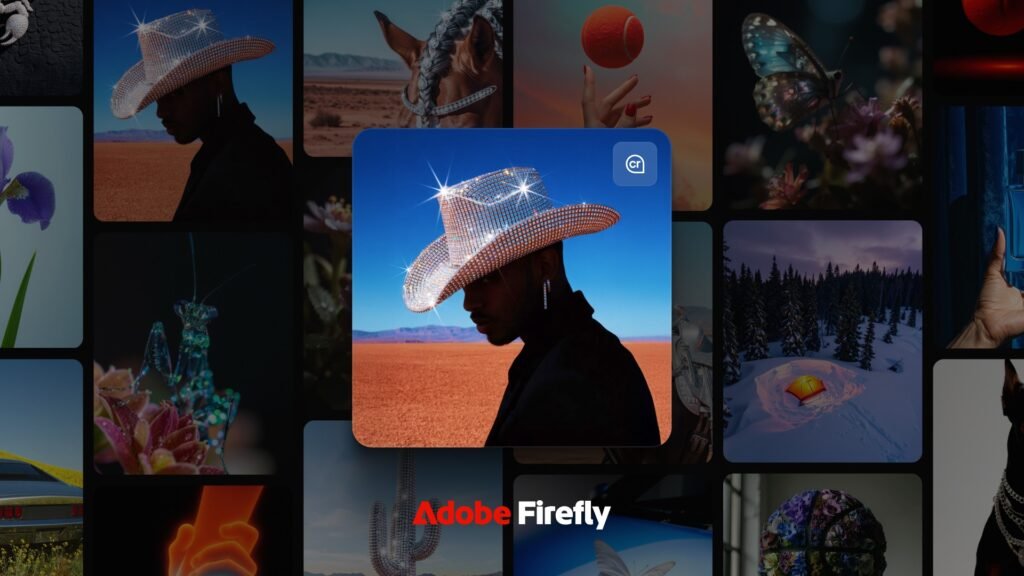
Adobe Firefly is Adobe’s generative AI platform designed to help creators produce images, graphics, and design elements using simple text prompts. Instead of manually creating everything from scratch, you can describe what you want, like “a cinematic sunset over mountains”, and Firefly generates multiple visual options instantly. You can even turn your still photos into videos with the AI image-to-video generator.
Adobe Firefly is a commercially safe AI image generator and text-to-video AI tool, trained exclusively on licensed Adobe Stock content and public domain material – meaning everything you generate can be used for commercial purposes without copyright concerns, making it one of the most trusted AI image generators available online.
One of its most powerful capabilities is Generative Fill (in Photoshop), which lets you add, remove, or replace parts of an image seamlessly. For example, you can extend the background, remove unwanted objects, or insert entirely new elements that match lighting and perspective.
Similarly, Generative Expand allows you to enlarge images beyond their original boundaries while maintaining visual consistency.
A key advantage of Firefly is that it’s trained on licensed and Adobe Stock content, making it more suitable for commercial use compared to many other AI tools. It’s also deeply integrated into Adobe apps like Photoshop, Illustrator, and Express, so you can use AI features directly inside your existing workflow.
Other Adobe Creative Cloud Tools
Beyond the flagship applications, Creative Cloud includes a rich collection of specialized tools.
- Adobe Animate – Adobe Animate is a 2D animation software used to create cartoons, web animations, and interactive content. It uses a timeline and keyframes to bring drawings and graphics to life. You can export animations in formats like video, GIF, and HTML5, making it useful for both web and multimedia projects.
- Adobe Dreamweaver – Adobe Dreamweaver is a web development software used to design and build websites using HTML, CSS, and JavaScript.It offers both a visual design view and a code editor, so you can either design layouts visually or write code directly. With features like live preview, responsive design tools, and built-in file management, it helps you create and manage websites more efficiently.
- Adobe Express – Adobe Express is an easy-to-use design tool for creating social media posts, videos, posters, and quick edits without needing advanced skills. One of its most powerful features is image background removal – you can remove the background from any photo in one click. It automatically detects the subject and cleanly cuts it out, making it perfect for thumbnails, product images, or social media graphics. It also offers video background removal, where you can isolate a person from the background (similar to a green screen effect) without needing an actual green screen. This is great for reels, YouTube videos, and short-form content.
- Adobe Acrobat Pro – It’s a professional tool used to create, edit, manage, and sign PDF documents. You can modify text and images inside a PDF, convert files (like Word or Excel) into PDFs and back, and add comments or annotations for review. It also includes features such as form filling and signing, password protection, and document sharing, making it ideal for both personal and business use.
- Adobe Fresco – Adobe Fresco is a digital painting and drawing app designed for artists and illustrators, especially on tablets like the iPad. It offers realistic brushes, including Live Brushes that mimic watercolor and oil paints, along with vector and raster brushes for precise or freehand drawing. You can sketch, paint, and create detailed artwork with natural brush behavior, making it feel close to traditional painting. Overall, Adobe Fresco is perfect for artists who want a smooth, natural drawing experience combined with powerful digital tools.
- Adobe Bridge – Adobe Bridge is a file management and organization tool for creative assets like photos, videos, and design files.It lets you browse, preview, sort, and organize files using folders, keywords, ratings, and metadata, all without importing them into a library. You can also batch rename files, add tags, and quickly open assets in other Adobe apps like Photoshop or Illustrator. Overall, Adobe Bridge helps you manage large collections of files efficiently and keep your workflow organized.
Plans & Pricing
Adobe Creative Cloud offers a flexible range of plans to suit different creative needs and budgets.
For Individuals
Creative Cloud Standard – ₹999/month
A great entry point into the Creative Cloud ecosystem, this plan gives you access to top Creative Cloud apps like Photoshop, Illustrator, and Acrobat Pro. First-year subscribers can save over 55%.
Creative Cloud Pro – ₹1,199/month
The full Creative Cloud experience – 20+ apps including Photoshop, Illustrator, Premiere Pro, and Acrobat Pro, plus Adobe Firefly AI credits for generating images, video, and audio. Currently available at over 53% off for new subscribers.
Single-App & Specialty Plans
For those who only need one tool, Adobe offers individual plans for Photoshop, Illustrator, Premiere Pro, After Effects, InDesign, Lightroom, Audition, and more. The Photography Plan is a popular bundle that pairs Lightroom, Lightroom Classic, and Photoshop with 1 TB of cloud storage. Document-focused users can choose from Acrobat Standard, Acrobat Pro, or Acrobat Studio. Standalone Firefly plans (Standard, Pro, and Premium) are also available for AI-powered content creation.
For Businesses
Creative Cloud Standard – ₹3,187/month
Access 20+ flagship apps on desktop, web, and mobile, at a price designed for small businesses. Get essential collaboration and admin features that support your team as it grows.
Creative Cloud Pro – ₹4,405/month
The complete business offering with the full suite of 20+ apps, Firefly AI credits, and enterprise-grade licence management and support – built for creative teams working at scale.
For Students & Teachers
Creative Cloud Pro – ₹638.38/month
Creative Cloud Pro Students and teachers get the best deal on the platform. The full Creative Cloud Pro suite at a steep discount, making 20+ professional apps accessible for those in education. New subscribers can save 60% for the first year. Visit adobe.com/in/creativecloud/buy/students for current INR pricing.
Eligible higher education institutions in India can also apply for Adobe’s free Creative Cloud Pro programme for accredited colleges and universities – see adobe.com/in for eligibility details.
Conclusion
Adobe Creative Cloud stands as the backbone of modern creativity, bringing together an unmatched range of tools that cover every stage of the creative process. From capturing and enhancing images to editing cinematic videos, designing visual identities, crafting user experiences, and now generating content with AI, it offers a level of versatility that no other platform currently matches.
What truly sets Creative Cloud apart is not just the power of its individual applications, like Adobe Photoshop, Adobe Premiere Pro, or Adobe Illustrator, but the way they seamlessly connect to form a unified workflow. This integration eliminates friction, saves time, and allows creators to focus on what actually matters – bringing their ideas to life.
With the addition of AI through Adobe Firefly, the platform is not just keeping up with the future of creativity; it is actively shaping it. Tasks that once took hours can now be done in minutes, opening up new possibilities for both beginners and professionals.
Ultimately, whether you are a solo creator, a growing freelancer, or part of a large creative team, Adobe Creative Cloud provides the tools, flexibility, and innovation needed to create at the highest level. It’s not just software, it’s the foundation of the modern creative industry.